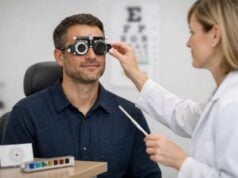

If your eyes feel tired after a day on screens or you find yourself holding a menu farther away than you used to, it is tempting to assume you need “stronger glasses.” But computer glasses and reading glasses solve different problems at different distances, and choosing the wrong one can leave you with persistent blur, headaches, or an awkward head tilt that turns into neck pain.
Reading glasses are built for close-up work, typically around 14–18 inches. Computer glasses are designed for the intermediate zone where most screens live, often around 20–30 inches, and may also help with glare and contrast. The right choice depends on your symptoms, your working distance, and whether your eyes are struggling to focus, stay comfortable, or both. This guide helps you match the lens to the job so your vision feels clear and sustainable—not just “good enough” for five minutes.
Key Insights
- Computer glasses can reduce fatigue for long screen sessions by matching lens power to your screen distance and posture.
- Reading glasses are better for close tasks like books and labels, but can feel too strong for most monitors.
- Blue-light filtering may help some people subjectively, but it is not a substitute for correct prescription and ergonomics.
- Measure your usual screen and reading distances before an exam to guide a more accurate prescription.
- Seek an eye exam promptly if you have sudden vision changes, one-sided symptoms, flashes, or a new, severe headache.
Table of Contents
- What computer glasses actually do
- What reading glasses are made for
- How to tell which you need
- Lens features that matter for screens
- Getting the right prescription and fit
- Safety and when to see an eye doctor
What computer glasses actually do
Computer glasses are designed for the “middle distance” that most people use for laptops, desktop monitors, and multiple-screen setups. This sounds simple, but it solves a common mismatch: many people either use no correction at all (even if they have mild farsightedness or early presbyopia) or they use reading glasses that are optimized for much closer work. In both cases, the eyes end up straining—either by over-accommodating (trying to focus harder) or by forcing an awkward posture to find a clear spot.
A practical way to define computer glasses is: lenses tuned to your typical screen distance and your typical working posture. That can mean several different designs:
- Single-vision “computer” lenses: one power across the lens that is clear at your monitor distance. These are common for people with early presbyopia, mild farsightedness, or “latent” focusing strain that shows up only after prolonged screen time.
- Occupational progressives (sometimes called “office progressives”): a wider intermediate zone than standard progressives, usually with near and intermediate emphasis and less or no distance portion. These are especially useful if you shift between screen work and paperwork throughout the day.
- Computer bifocals: a distinct segment for near plus a main portion for intermediate. Some people like the clear separation; others dislike the line.
What computer glasses are not is “a universal fix for screens.” If your discomfort comes mainly from dry eye, migraines, an uncorrected distance prescription, or a poorly positioned monitor, a computer lens alone might only partially help. But when the problem is distance mismatch—the lens power does not match where your screen actually sits—computer glasses can make your visual system feel calmer within days.
A strong sign they are appropriate is that you can see your screen, but you do it with effort: brow furrowing, squinting, leaning forward, or raising your chin. Those are body-level coping strategies for optical mismatch. The right computer lens reduces the need for those strategies, which is why many people report fewer headaches and less neck tension once their screen zone is properly corrected.
What reading glasses are made for
Reading glasses are built for close work—think books, receipts, phone screens held near, sewing, labels, and other tasks usually done around 14–18 inches from the eyes. They work by adding “plus power” to relieve the eye’s focusing demand. This becomes more relevant with age because the natural lens inside the eye stiffens over time, making it harder to shift focus up close (presbyopia). Reading glasses are essentially a focusing assist.
The most common misunderstanding is assuming that if reading glasses make small print clear, they should also make a computer screen clear. Sometimes they do—especially if your monitor is unusually close. But in many work setups, reading glasses are too strong for a typical monitor distance. When the power is too strong, the screen may look blurred unless you lean in, or you might lift your chin and look through a lower part of the lens if you are using progressives. That posture can quietly become the main source of “computer headaches.”
There are three broad ways people use reading glasses:
- Over-the-counter (OTC) readers
Convenient and inexpensive. They can be a reasonable starting point if both eyes are similar, your distance vision is fine, and you only need help for short reading tasks. The limitation is that OTC readers assume both eyes need the same power and that you have little to no astigmatism. If that is not true, your brain may work harder to merge the images, which can feel like fatigue or a low-grade headache. - Prescription single-vision readers
These correct near vision more precisely—accounting for differences between eyes and astigmatism. They tend to feel “cleaner” and more stable for longer reading sessions. - Multifocals (bifocals or progressives)
These include a near portion but also provide other distances. Many people with presbyopia eventually choose them for daily convenience, but standard progressives are not always optimized for the wide intermediate zone needed for intensive computer work.
Reading glasses are excellent when your main problem is: “I can see far away, but close work is blurry unless I hold it farther away.” If your main complaint is screen-related discomfort rather than near blur, or if your monitor is at arm’s length, computer-specific correction often fits better.
How to tell which you need
The fastest way to decide is to match symptoms to distance. Many people have a mix of issues (presbyopia plus dry eye plus glare), so think in “dominant problem” terms: what triggers discomfort first, and at what distance?
Step 1: Identify your blur distance
Use three real-life targets:
- Near: a book or printed label at your comfortable reading distance.
- Intermediate: your main screen at your usual posture.
- Distance: something across the room, like a sign or TV captions.
Then notice:
- If near is blurry but intermediate and distance are fine, you likely need reading correction (or an updated near add in progressives).
- If intermediate is the main problem and near is only slightly affected, computer glasses (single-vision intermediate or occupational progressive) are often the better tool.
- If distance is blurry, you may need a general distance prescription update; “computer glasses” will not fix driving blur.
Step 2: Watch for posture clues
Your body often tells the truth before your words do:
- Leaning toward the screen usually suggests you are using reading power that is too strong for your monitor or you need intermediate support.
- Tilting your head back (chin up) is classic for people using standard progressives that place the intermediate zone too low or too narrow for their setup.
- Squinting and frequent refocusing can indicate uncorrected astigmatism, slight farsightedness, or a monitor contrast/glare issue.
Step 3: Use a simple distance check
Measure (roughly) from your eyes to your screen:
- 14–18 inches: closer to typical reading distance. Reading glasses may work well here (though ergonomically this is often too close for long sessions).
- 20–30 inches: classic computer range. This is where many OTC readers feel “off.”
- 30+ inches or multiple monitors: often needs occupational progressives or a custom intermediate prescription so you are not constantly craning forward.
Step 4: Consider timing and recovery
- If symptoms build after 30–90 minutes and improve quickly when you stop, that often points to focusing strain, dryness, or posture mismatch.
- If symptoms persist for hours, wake you up, or are accompanied by nausea or light sensitivity, consider migraine or another cause that deserves clinical attention.
Many people end up with both: reading glasses for true near tasks and computer glasses (or occupational progressives) for extended screen time. The goal is not minimal blur in a pinch; it is sustainable clarity at the distances you actually use.
Lens features that matter for screens
Once the distance is right, comfort often comes down to lens features that reduce visual “noise.” Marketing can make every add-on sound essential, but a few features consistently matter for screen work.
Anti-reflective coating is usually the biggest win
Anti-reflective (AR) coating reduces reflections from overhead lights, windows, and bright screens. Reflections force your visual system to compete with ghost images, and you may unconsciously squint or widen your eyes to “push through” glare—both of which worsen fatigue. AR coating also improves contrast, which can make text edges look cleaner.
If you do only one upgrade for computer comfort, AR coating is often the most rational place to spend.
Blue-light filtering: understand the realistic role
Blue-light filtering lenses reduce transmission of short-wavelength visible light. Some people like them because screens feel “less harsh,” especially at night, and some notice subjective comfort improvements. But blue-light filtering is not a substitute for correct prescription, and it will not fix a lens that is wrong for your screen distance.
A balanced way to view it:
- If you work late and are sensitive to bright, cool-white screens, blue-light filtering may be a comfort preference.
- If you expect it to eliminate headaches while your prescription is off, it will likely disappoint.
- If color accuracy matters (design, photo editing), be cautious: certain filters can slightly shift color perception.
Occupational progressives: built for real desks
Standard progressives are designed for “all day, all distances,” but the intermediate zone can feel narrow for heavy screen use. Occupational progressives widen the intermediate area, making it easier to see multiple monitors without exaggerated head movement. They are often the best single-pair solution for people who:
- spend most of the day indoors
- alternate between screen and paperwork
- attend meetings where they look across a room but not long outdoor distances
Lens material and design details
- High prescriptions may benefit from thinner materials for comfort and cosmetics, but clarity depends more on accurate measurements than on lens index.
- Aspheric designs can reduce peripheral distortion in stronger prescriptions, which may help when you scan across wide monitors.
- Photochromic lenses (darken in sunlight) are not screen-specific but can help if you move between indoor screens and bright outdoor environments.
The best feature set is the one that supports your real environment: your lighting, your distances, your daily hours, and the way you move your head and eyes while you work.
Getting the right prescription and fit
The most expensive lenses can still feel wrong if the prescription is not matched to how you actually use your devices. A great exam for “computer comfort” is less about fancy terminology and more about concrete measurements and honest habit details.
Bring the distances, not just the complaint
Before your appointment, measure:
- eye-to-screen distance (in inches or centimeters)
- eye-to-reading material distance (where you naturally hold a book)
- approximate height of the top of your monitor relative to your eye level (higher, level, or lower)
If you use multiple monitors, note which one is primary and how far away the farthest screen sits. These details help the clinician prescribe an intermediate power that matches your workstation instead of guessing.
Know what to ask for
Use plain language. You can say:
- “I want comfortable vision at my screen distance of about 26 inches for 6–8 hours a day.”
- “I do paperwork at about 16 inches and screens at about 28 inches—what lens design covers both without making me lift my chin?”
Helpful options to discuss include:
- single-vision intermediate (for mostly screen work)
- occupational progressive (for screen plus near tasks)
- separate readers (if your near work is intense and you want a wide, stable near field)
If you already wear progressives and still struggle on the computer, ask whether your current lens design is too “distance-oriented” for your day.
Fit and frame choice matter more than many people expect
Computer lenses are sensitive to where your eyes sit in the frame. A frame that rides low or slides down can force you into a chin-up posture. Consider:
- A slightly deeper frame if you are using occupational progressives (more room for zones).
- Stable nose pads and temple fit to prevent slipping.
- Adequate lens width if you scan across multiple monitors.
If you work at a desktop with a large monitor, your optician may also recommend placing the intermediate zone slightly higher than typical, so you can look straight ahead at the screen without tilting your head back. This is a customization, not a one-size-fits-all rule.
Do not ignore astigmatism and unequal eyes
A small amount of uncorrected astigmatism or a noticeable difference between eyes can turn “mild blur” into “constant effort,” especially on text-heavy screens. If OTC readers help but you still feel tired, prescription lenses may provide cleaner alignment and reduce strain.
A good outcome is specific: you should be able to sit normally, look through the natural center of the lens, and read the screen without hunting for focus. If you only get clarity in a narrow head position, the design or fitting likely needs adjustment.
Safety and when to see an eye doctor
Most screen-related discomfort is not dangerous, but it is still worth taking seriously because it can signal correctable vision changes or surface eye disease. It also affects sleep, productivity, and quality of life—often more than people admit.
Common, non-urgent reasons to book an exam
Consider a routine eye exam soon if you notice:
- new blur at near or intermediate distances
- headaches that reliably appear after screen time
- frequent squinting or closing one eye to focus
- dry, gritty, burning eyes that worsen through the day
- needing brighter light to read comfortably
These issues often improve with updated prescriptions, dry-eye management, and workstation changes.
Red flags that should not be brushed off
Seek urgent evaluation (same day or promptly, depending on severity) if you experience:
- flashes of light, a sudden shower of floaters, or a curtain-like shadow in vision
- sudden loss of vision or a dramatic change in one eye
- eye pain with redness, nausea, or halos around lights
- a new severe headache with visual changes, weakness, or speech difficulty
- double vision that is new and persistent
These symptoms can be unrelated to glasses choice and may require immediate medical attention.
Safety considerations with “just buying something online”
Online and OTC options can be fine for simple needs, but avoid self-prescribing if:
- you have diabetes, glaucoma risk, or a history of eye disease
- one eye is significantly stronger than the other
- you have moderate or high astigmatism
- you get dizziness, nausea, or a “swimmy” feeling in new lenses
Also, be careful about driving or navigating stairs in lenses that are not designed for distance. Computer glasses and strong readers can blur far vision, which is unsafe for driving and can increase fall risk.
Make the environment do some of the work
Even perfect glasses cannot overcome a stressful setup. For long-term comfort:
- Place the monitor so your gaze is slightly downward, not straight up.
- Reduce glare (reposition screens, adjust lighting, use blinds).
- Take short breaks regularly and refocus at distance.
- Blink more deliberately, especially in dry environments.
The best approach is layered: the right lens for the right distance, fit that supports neutral posture, and screen habits that keep your eyes from running “hot” all day.
References
- Blue-light filtering spectacle lenses for visual performance, sleep, and macular health in adults – PubMed 2023 (Systematic Review)
- Digital Eye Strain- A Comprehensive Review – PMC 2022 (Review)
- Optical interventions for presbyopia – PMC 2025 (Systematic Review)
- Working safely with display screen equipment – HSE 2025 (Government Guidance)
Disclaimer
This article is for educational purposes and does not replace personalized medical advice, diagnosis, or treatment. Vision symptoms can have many causes, and the right type of glasses depends on your eyes, your health history, and your working distances. If you have persistent discomfort, new headaches, or changes in vision, schedule an eye exam with an optometrist or ophthalmologist. Seek urgent care for sudden vision loss, flashes, a curtain-like shadow, significant eye pain, or new neurologic symptoms.
If you found this helpful, please consider sharing it on Facebook, X (formerly Twitter), or any platform you prefer. Your support helps our team keep producing clear, trustworthy health content.