
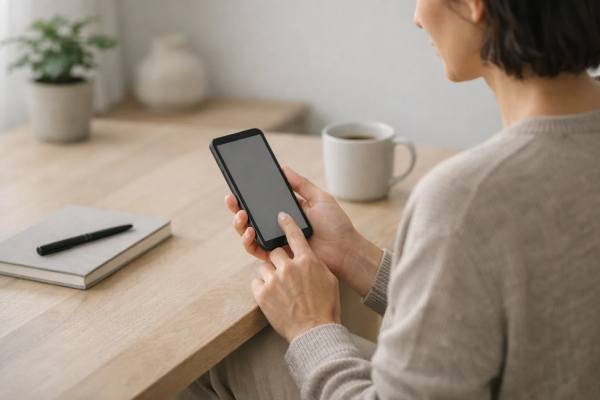
A smartphone becomes mentally “loud” when it pulls your attention by default: bright icons, endless feeds, and alerts that train you to check before you choose. A minimalist phone setup flips that relationship. You keep the convenience—maps, messaging, photos, banking—while removing the features that make your phone feel like a slot machine in your pocket. The payoff is not moral purity or living offline. It is calmer attention, fewer stress spikes from constant interruptions, and more time for the tasks and people you actually care about.
This guide walks you through a realistic, step-by-step approach to making your phone boring on purpose. You will learn how to redesign your home screen, tame notifications, contain social and news loops, and build daily rules that match your life. You will also learn the “real catch”: minimalist setups work best when you treat them as systems you maintain, not one-time declutters.
Core Points
- Reducing visual clutter and notifications lowers compulsive checking and improves focus in everyday tasks.
- The most effective minimalist setups add friction to distracting apps while keeping essential tools fast to reach.
- Screen-time limits help, but they work best as speed bumps paired with habit-based rules.
- Start with a 30-minute setup session, then do a 10-minute weekly reset to keep the phone from “re-growing” noise.
Table of Contents
- Define a boring phone goal
- Declutter your home screen
- Tame notifications and interruptions
- Contain social and news loops
- Build daily rules and modes
- Maintain your setup long term
Define a boring phone goal
A minimalist phone setup starts with one decision: what do you want your phone to be for? Most people say “a tool,” but that is still too vague. “Tool” can include everything from banking to binge-scrolling. The simplest way to make your smartphone boring is to define three allowed roles and two roles you want to shrink.
Try this quick definition:
- Keep: communication, logistics, and capture
(calls and texts, calendar, navigation, tickets, photos, notes, authentication) - Shrink: stimulation and avoidance
(infinite feeds, short-form video loops, doomscrolling, reflex checking)
This is not about banning entertainment. It is about separating intentional leisure from automatic consumption. If you decide that entertainment is allowed only when it is chosen on purpose, your setup becomes much easier to design.
Next, decide what “boring” looks like in measurable terms. Pick one primary outcome and one secondary outcome:
- Primary outcome examples
- Fewer impulsive pickups (checking without a reason)
- Longer uninterrupted focus blocks
- Less late-night screen use
- Secondary outcome examples
- Fewer notifications per day
- Less time in one “problem app”
- Less anxiety from constant updates
A realistic goal is not “never use social media.” A realistic goal is “no feeds before breakfast” or “only one scheduled check-in window.”
Now, understand the real mechanism: minimalist setups work because they change defaults and add friction. Your brain is efficient. It follows what is easiest and most visible. If social apps are on the first screen with bright badges, checking becomes the default. If those apps are buried, color is muted, badges are gone, and interruptions are reduced, you reclaim the pause where choice can happen.
Finally, plan for the catch: your phone will fight back, not because it is evil, but because modern apps are designed to re-enter your attention. Minimalism succeeds when it becomes a small system you maintain: a few rules, a clean layout, and regular resets. If you treat it as a one-time purge, the clutter returns in days.
The goal is not to hate your phone. The goal is to make the distracting path slightly harder than the helpful path—so the phone stops “leading” your day.
Declutter your home screen
Your home screen is not a scrapbook of everything you own. It is a control panel. A minimalist setup makes the first screen boring enough that it does not invite wandering.
Use this simple rule: one home screen, no temptation. If you can keep only one page, your phone becomes noticeably quieter.
Step 1: Choose your essentials (8–12 items)
Start by listing what you genuinely need quick access to. For many people, that looks like:
- Phone
- Messages
- Calendar
- Maps
- Camera
- Notes or tasks
- Music or podcast app (optional)
- Banking or authenticator (optional)
- Two work-critical apps (optional)
Everything else can be reached through search or an app library. The mental shift is important: “Not visible” does not mean “deleted.” It just means “not constantly asking for attention.”
Step 2: Remove visual triggers
These changes reduce the “pull” of the screen:
- Remove social apps from the home screen (even if you keep them installed).
- Turn off notification badges for most apps. Badges are designed to create urgency.
- Replace a busy wallpaper with a plain, low-contrast background.
- Consider grayscale or reduced color. Color is a strong cue for habit loops.
If grayscale feels too extreme, start with a calmer wallpaper and fewer icons. Minimalism is not all-or-nothing.
Step 3: Use folders strategically (and sparingly)
Folders can be helpful if they reduce clutter, but they can also become junk drawers. Aim for 3–5 folders max, each with a clear purpose:
- “Tools” (banking, authenticator, settings)
- “Work” (email, chat, documents)
- “Travel” (rideshare, tickets, translation)
- “Health” (fitness, medication reminders)
Avoid a folder named “Stuff.” If you cannot name it, you probably do not need it.
Step 4: Make distraction require intent
A powerful compromise is the “second-step rule”: anything that tends to hijack you should take at least two deliberate actions to open.
Examples:
- Social apps live off the home screen, inside a folder, on the last page, or behind search.
- Browsing apps are not in the dock.
- Streaming and shopping apps are hidden unless you need them that week.
When you add one extra step, you create a moment to ask: “Is this what I meant to do?”
Step 5: Keep your lock screen calm
The lock screen is a billboard. Keep it simple. If your lock screen shows dozens of previews, your day starts reacting before you even unlock.
A minimalist home screen is not about aesthetics. It is about fewer cues, fewer impulses, and fewer detours—so your phone stops being a constant invitation to drift.
Tame notifications and interruptions
If you want your smartphone to feel boring, notifications are the main lever. Most stress from phones is not caused by one long session—it is caused by dozens of small interruptions that fracture attention and keep your nervous system on alert.
A clean notification strategy is not “turn everything off.” It is triage: decide what deserves to break into your day.
Use the three-tier notification filter
Sort every app into one of these categories:
- Now (interrupt me): time-sensitive, safety-related, or truly urgent
Examples: calls from key people, security alerts, medication reminders, navigation while driving - Later (deliver silently): useful, but not urgent
Examples: messages from non-urgent groups, banking summaries, calendar reminders, delivery updates - Never (no notifications): anything designed to pull you back for engagement
Examples: social “likes,” “recommended for you,” most news alerts, shopping promotions, games
If an app’s alerts do not protect time, money, safety, or relationships, it usually belongs in “Later” or “Never.”
Clean up notification channels the hard way once
It takes 10–20 minutes, but it pays off:
- Turn off promotional and “suggested” notifications inside each app.
- Disable badges for most apps.
- Remove lock-screen previews for anything sensitive or emotionally activating.
- Use a summary or digest feature if your device supports it, so “Later” alerts arrive in batches.
Batching matters because it stops your brain from being yanked into mini context switches all day.
Protect sleep and deep work with modes
Most phones let you create focus modes or do-not-disturb schedules. Use them like guardrails, not as emergency buttons.
- Work focus: allow only calls from favorites and one messaging app. Silence everything else.
- Evening wind-down: silence social apps and email. Allow only family and essential logistics.
- Sleep mode: no notifications, no bright screen, no social. If you use your phone as an alarm, keep the alarm but remove the temptation.
If you wake at night and see a notification preview, your brain starts working. A quiet lock screen is a gift to your sleep.
Fix the “inbox on your lock screen” problem
Email and chat apps are common attention leaks. Consider:
- Turning off push for email and checking it at scheduled times.
- Allowing only direct messages to notify, not every group channel.
- Moving work chat notifications into work hours only.
The goal is not to miss important messages. The goal is to reduce false urgency. Most alerts are not emergencies; they are marketing and habit hooks disguised as importance.
If you do nothing else, do this: disable non-essential notifications for 48 hours and notice how your body feels. Many people are surprised by how quickly their baseline tension drops.
Contain social and news loops
Social media and news apps are not “bad,” but they are uniquely good at capturing attention because they combine novelty, social feedback, and endless content. If your goal is a boring phone, you do not have to delete every account. You do need to contain the loop so it does not spread into every spare moment.
Pick one access method for each loop
For each high-distraction category (social, news, short video, shopping), choose one of these approaches:
- Remove: uninstall the app and use it only on a larger device
- Restrict: keep the app but add friction (buried location, limits, logout)
- Replace: use a less stimulating format (reading instead of scrolling, curated lists instead of algorithmic feeds)
The worst option is “keep it everywhere.” That turns boredom into constant temptation.
Make scrolling require a conscious decision
Small frictions add up:
- Log out of the most tempting apps so opening them requires effort.
- Remove saved passwords if you are comfortable doing so.
- Turn off autoplay and sound by default where possible.
- Disable notifications from social apps entirely.
If you want a more structured boundary, use the “window rule”:
- One or two scheduled windows per day (for example, 20 minutes at lunch and 20 minutes early evening)
- No social or news before your first real task of the day
- No social or news in bed
These are behavioral rules, not moral rules. They work because they protect transitions—morning, focus time, bedtime—when your attention is most vulnerable.
Curate for fewer triggers, not more “content”
Many people try to quit social apps because the content feels stressful. Another approach is to reduce the content that spikes emotion:
- Unfollow accounts that make you angry, envious, or frantic.
- Leave group chats that exist mostly for noise.
- Mute keywords or topics that pull you into doomscrolling.
- Turn your feed into “people and hobbies,” not “breaking updates.”
The goal is not to become uninformed. It is to stop turning your nervous system into a 24-hour news ticker.
Use limits as speed bumps, not solutions
Screen-time limits and app timers are helpful, but they are easy to override when you are stressed. Treat them as a pause button that asks, “Do you want to continue?” Pair them with a plan for what you do instead.
A good substitution is something that matches the moment:
- In a short break: stand up, drink water, step outside for one minute
- When bored: read a saved article, message a friend, do a quick household task
- When anxious: a brief breathing or grounding exercise
Containment is the heart of a minimalist phone. You are not removing modern life. You are reducing the number of doors that open automatically.
Build daily rules and modes
A minimalist phone setup is not only a layout—it is a set of defaults that match your day. Without daily rules, even a clean home screen can turn into a compulsive habit machine again. The most effective rules protect three zones: morning, deep work, and bedtime.
Morning: delay the first check
The first 30 minutes of the day set your attention tone. If the first thing you consume is messages and feeds, you start in reaction mode.
Try one of these:
- No phone until after you wash up and eat breakfast
- No social or news until after the first focused task
- Phone stays in another room until you are dressed
If you worry about emergencies, allow calls from favorites only. Most urgent needs arrive through calls, not social notifications.
Work and study: create a “single-purpose” mode
A practical rule is: during focus time, your phone gets to be a tool for one thing at a time.
Examples:
- If you are working, the phone can be calendar, authenticator, or music—nothing else.
- If you are studying, the phone can be timer and notes—nothing else.
Use a focus mode that:
- Silences everything except key contacts
- Hides distracting apps if your device supports that
- Removes lock-screen previews that lure you into “just checking”
A helpful physical rule: keep the phone face down or out of reach during deep work. Distance is a form of friction.
Evening: reduce stimulation on purpose
Evening phone use often feels harmless until it becomes a two-hour drift. A minimalist phone uses a wind-down sequence:
- 60 minutes before bed: dim the display and silence non-essential notifications
- 30 minutes before bed: no social and no email
- In bed: phone is not a browsing device
If you need an alarm, consider placing the phone across the room. If you use it for sleep sounds, lock it into that purpose and avoid opening other apps.
Create “modes” for recurring contexts
Your brain likes predictability. Create repeatable modes for:
- Commute (maps and calls only)
- Family time (camera and messages only)
- Exercise (music and tracking only)
- Errands (list and payments only)
Modes turn willpower into automation. The phone stops asking you to choose every minute.
One rule for relationships
A minimalist phone is also a social agreement. Choose one relationship-protective rule:
- No phone at meals
- Phone away during conversations
- One “check-in” moment instead of constant glance behavior
The goal is not to be perfect. The goal is to align the phone with the life you are actually living—so your attention belongs to you more often than it belongs to the next alert.
Maintain your setup long term
The real catch with minimalist phone setups is that they drift. Apps update, new tools appear, and stressful weeks make it easier to slip back into old patterns. Sustainability comes from a light maintenance routine and a safety-first mindset.
Do a 10-minute weekly reset
Once per week (same day if possible), do a quick reset:
- Remove any new apps from the home screen.
- Check notification settings for any app that “re-enabled” alerts.
- Review your top three most-used apps and ask, “Did I choose this time, or did it happen to me?”
- Recommit to one daily rule for the next week.
Treat it like tidying a desk. It is not a dramatic detox. It is upkeep.
Use a “quarantine folder” for new apps
New apps are often the beginning of clutter. Create one folder (not on the first screen) called “New.” Any app you install goes there first. After a week, decide whether it deserves a permanent place or should be deleted.
This prevents the slow creep of icons and notifications.
Plan for exceptions without breaking the system
Minimalist setups fail when one exception becomes a new normal. Build “planned exceptions”:
- Travel week: allow rideshare and translation apps on the home screen, then remove them afterward.
- Major event: temporarily allow more messaging alerts, then revert.
- Family needs: keep accessibility and safety apps visible, even if they are not “minimal.”
A system that cannot bend will eventually snap.
Know when phone use becomes a mental health issue
Sometimes the problem is not your layout—it is a deeper pattern of avoidance, anxiety relief, or compulsive checking. Consider extra support if you notice:
- Phone use feels uncontrollable despite clear negative consequences
- You lose sleep regularly due to late-night scrolling
- Anxiety spikes when you cannot check
- Work, relationships, or mood are clearly being affected
In these cases, a minimalist setup is still helpful, but you may also benefit from structured behavior change support, stress treatment, or therapy. A phone can be a symptom amplifier, not the root cause.
Keep safety and privacy in mind
Minimalism should not reduce safety:
- Keep emergency contacts easy to reach.
- Allow critical alerts (weather, security, medical reminders) if they are truly relevant.
- Limit lock-screen notification previews for privacy, especially in public.
A boring phone is not a broken phone. It is a phone that respects your attention.
If you maintain the system lightly and adjust it without self-judgment, the benefits compound: fewer interruptions, less background stress, and more intentional time. That is the point—quiet technology that supports a full life.
References
- Smartphone screen time reduction improves mental health: a randomized controlled trial – PMC 2025 (RCT)
- Risk Factors of Smartphone Addiction: A Systematic Review of Longitudinal Studies – PMC 2024 (Systematic Review)
- The Psychopathology of Problematic Smartphone Use (PSU): A Narrative Review of Burden, Mediating Factors, and Prevention – PMC 2025 (Narrative Review)
- Electronic Media Use and Sleep Quality: Updated Systematic Review and Meta-Analysis – PMC 2024 (Systematic Review and Meta-Analysis)
Disclaimer
This article is for educational purposes and does not provide medical advice, diagnosis, or treatment. Changes to phone use can support focus, stress management, and sleep habits, but they are not a substitute for professional care. If you are experiencing persistent anxiety, depression, panic symptoms, sleep disruption, or compulsive behaviors that significantly affect daily functioning, consult a qualified health professional for personalized guidance. Seek urgent help if you feel unsafe or have thoughts of self-harm.
If you found this article helpful, please consider sharing it on Facebook, X (formerly Twitter), or any platform you prefer.