
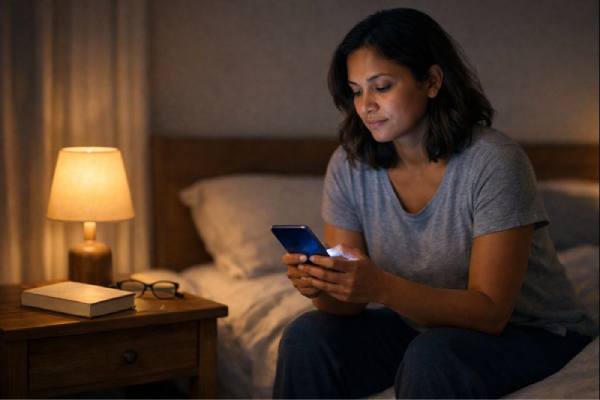
Screens are not just “time sinks.” They are environments that ask your brain to do three hard things at once: stay alert to new information, manage emotion in real time, and switch contexts constantly. That mix can be energizing when you are learning, connecting, or creating. It can also quietly chip away at focus, leave mood more reactive, and make sleep feel lighter or harder to reach—especially when screen use bleeds into the early morning and late evening.
The goal is not to fear technology or chase a perfect number of hours. A more useful approach is to understand which patterns strain attention, mood, and sleep, and which patterns support your life. With a few practical changes—often more about timing, content, and friction than willpower—you can keep the benefits of screens while reducing the mental costs.
Essential Insights
- Protect focus by reducing interruptions, not just total hours, and by separating “deep work” blocks from scroll-heavy breaks.
- Support mood by shifting from passive consumption to intentional use that strengthens connection, mastery, or rest.
- Improve sleep most reliably by changing evening timing: aim for a screen-free wind-down and a device-free bedroom.
- Evidence on “safe hours” is mixed; individual factors (age, anxiety, ADHD traits, insomnia) can change sensitivity.
- Try a two-week reset: set two daily check-in windows, turn off nonessential notifications, and keep screens out of the last hour before bed.
Table of Contents
- How screens shape focus
- Mood and anxiety shifts
- Why screens hijack sleep
- Dose, content, and context
- A practical reset plan
- When to get extra support
How screens shape focus
Focus is not a personality trait—it is a limited resource that depends on sleep quality, stress level, and how often your attention gets pulled off task. Screens can support focus (maps, reminders, notes, tutorials). The problem is that many digital experiences are built around rapid novelty: new messages, new posts, new tabs, new alerts. That constant “maybe something important just happened” feeling keeps your attention in a semi-vigilant state.
Why attention frays faster on screens
A few mechanisms show up again and again in real life:
- Interruptions create “attention residue.” Even a quick glance at a message leaves part of your mind thinking about it. Returning to the original task takes longer than you expect.
- Decision fatigue stacks up. Screens require micro-choices: reply now or later, click or scroll, open another tab or not. Each choice is small; the accumulation is not.
- Variable rewards train checking. When a notification is sometimes interesting, you learn to check more often, because your brain wants to catch the next rewarding moment.
This is why many people feel “busy but not productive” after a screen-heavy day. You did many things, but few of them were mentally complete.
The cost of switching
Switching tasks is not free. When you bounce between a document, chat, email, and a feed, you are repeatedly asking your brain to reload context: What was I doing? Where was I going? What is the next step? That reload time can be a bigger focus drain than the screen itself.
A simple tell: if you often re-read the same paragraph, restart the same task, or feel resistant to beginning, your environment is probably too interruption-friendly.
Focus-protecting defaults that work
You do not need a perfect system. You need a few “defaults” that reduce unplanned switching:
- Batch notifications. Turn off nonessential alerts and check messages at set times (for example, late morning and late afternoon).
- Create a single-task window. Full-screen your main task and keep only one supporting tab open. If you need to save something, paste it into a note and return later.
- Use short, timed breaks. Breaks help attention recover, but scrolling breaks often become longer than intended. Set a timer for 5–10 minutes.
- Separate work screens from leisure screens when possible. If your phone is your main distraction, do deep work on a computer and physically park the phone in another room.
The goal is not to “be disciplined” all day. It is to make the focused choice the easiest choice.
Mood and anxiety shifts
Mood changes linked to screens are rarely about one dramatic event. They tend to come from repeated emotional micro-events: comparison, urgency, outrage, fear, envy, humor, reassurance—delivered in fast succession. Over time, your nervous system can learn a new baseline: more reactive, more keyed up, or more dependent on quick hits of distraction to feel okay.
How feeds shape emotion
Several common patterns affect mood:
- Social comparison without context. You see highlight reels, edited images, and milestones, but not the private struggles behind them. Even when you know this intellectually, your emotions can still respond as if you are falling behind.
- Algorithmic intensity. Highly emotional content (angry, scary, sensational, idealized) tends to hold attention. The result can be a steady drip of “high-arousal” material that keeps stress hormones elevated.
- Crowding out regulation. Screens can replace the slower mood stabilizers: movement, daylight, face-to-face interaction, creative flow, and unstructured rest.
None of this means screens are inherently harmful. Many people find genuine support, community, and relief online. The key question is: does your screen use leave you feeling more grounded, or more tense and scattered?
Active use versus passive use
Two people can spend the same amount of time on a screen and have very different outcomes. A useful distinction is:
- Active, purposeful use: messaging a friend, learning a skill, organizing your day, creating, participating in a supportive group.
- Passive, drift use: endless scrolling, jumping between short videos, checking repeatedly “just in case.”
Passive use is more likely to amplify comparison and rumination, especially when you are tired or stressed.
Stress loops and doomscrolling
Doomscrolling is not a moral failure; it is a stress response. When you feel uncertain, your brain hunts for information to regain control. The twist is that more information often produces more uncertainty, and the loop continues.
A practical interruption is to add one “speed bump”:
- Log out of the most compulsive app.
- Remove it from your home screen.
- Turn your phone display to grayscale in the evening.
- Require a search to open it (so you make a conscious choice).
A quick self-check
Ask yourself after a typical session:
- Do I feel calmer, connected, informed, and ready to return to my life?
- Or do I feel keyed up, inadequate, irritated, or stuck?
If the second set is common, the most effective change is usually not “less screen time,” but “different screen time”: fewer high-arousal inputs, more intentional use, and clearer stop points.
Why screens hijack sleep
Sleep is often where screen effects become undeniable. You may function “fine” with heavy screen use—until sleep starts slipping. Then everything else follows: focus gets brittle, mood gets reactive, cravings increase, and stress tolerance drops. Screens tend to disrupt sleep through three main pathways, and you can address each one directly.
Pathway 1: Time displacement
The simplest mechanism is also the most common: screens push bedtime later. What makes it tricky is that sleep loss often arrives in small, cumulative amounts. Twenty minutes later each night can become more than two hours less sleep per week.
A helpful reframe is: protect a consistent wake time first. If wake time is fixed, late-night screen use becomes more obviously costly because you feel it the next day.
Pathway 2: Light and circadian timing
Light in the evening—especially bright, close light—signals “daytime” to the brain’s clock. That can delay sleepiness and shift your natural sleep window later. Bright screens are not the only culprit (room lighting matters too), but screens are uniquely close to the eyes and often used right up to bedtime.
If you cannot avoid screens late, reduce the circadian push:
- Dim the screen and the room lights 1–2 hours before bed.
- Use night-shift settings (warmer tones) in the evening.
- Increase distance (a TV across the room is different from a phone 20 cm from your face).
Pathway 3: Cognitive and emotional arousal
Even with dim light, content can keep your brain “on.” Fast-cut videos, competitive gaming, intense discussions, and emotionally charged news can increase heart rate and mental activation. Many people mistake this activation for “unwinding” because it distracts from stress—until they try to fall asleep.
A sleep-friendly rule is to make the last hour before bed lower stimulation and more predictable.
A practical sleep protocol
Try this for 14 nights:
- 60–90 minutes before bed: switch to non-screen wind-down (shower, stretching, light reading, quiet music, journaling).
- Bedroom rule: keep phones and tablets out of the room if possible. If you need an alarm, use a basic alarm clock or place the phone across the room.
- If you wake at night: avoid checking the time or the phone. Low light, low stimulation, and return to bed.
If sleep improves quickly, that is valuable data: your system is sensitive to timing and arousal, and protecting evenings will likely benefit your focus and mood more than any app limit.
Dose, content, and context
People want a clean rule: “How many hours is too much?” Research does not give a single universal cutoff, partly because “screen time” blends many different activities. A video call with family, a work spreadsheet, a language lesson, and late-night doomscrolling all count as screen time, but they do not affect the brain in the same way.
A better framework is to think in three dimensions: dose (how much), timing (when), and content (what and why).
Minutes are a blunt tool
Total hours can miss the real driver: fragmentation. Five hours of focused work with breaks can feel mentally clean. Two hours of constant checking can feel exhausting. When you track your own patterns, pay attention to:
- How often you pick up the phone without a clear purpose
- Whether you use screens during “transition moments” (in bed, in line, between tasks)
- How often screen use continues past the point of enjoyment
These are often more predictive of mental strain than the total number.
What research tends to find
Across many studies, associations between screen time and mental health are usually small on average, with larger effects showing up in specific situations: late-night use, high social comparison, cyberbullying exposure, heavy multitasking, and patterns that feel compulsive or hard to control. In children, higher daily recreational screen exposure is often linked with more attention problems, and some analyses show higher odds of attention-related difficulties at higher daily durations. That does not mean screens “cause” attention disorders by themselves, but it supports taking sustained, high-dose recreational use seriously—especially when sleep is also disrupted.
Age and vulnerability matter
The same pattern can land differently depending on the person:
- Kids and teens: more sensitive to sleep loss and social evaluation; more likely to be pulled into late-night group chats or endless short videos.
- Adults with high stress: more likely to use screens as avoidance, which can reduce active coping and increase anxiety.
- People with ADHD traits: often benefit from tools that reduce interruptions, but may also be more vulnerable to novelty-driven apps.
- People with insomnia: often need stronger evening boundaries because arousal and irregular sleep timing can quickly become a cycle.
Work screens versus leisure screens
Work-related screen time can still be draining, but it often has clearer purpose and end points. Leisure screen time becomes risky when it is the default response to every idle moment. If you are trying to improve mental health, start with evening leisure screens first—they are the most modifiable and often the most influential on sleep and next-day mood.
The most useful metric is simple: does your screen pattern help your day work, or does it quietly pull your day off course?
A practical reset plan
A sustainable plan does not rely on constant self-control. It relies on environment design: defaults, friction, and replacement activities that actually satisfy the need your screen is meeting (rest, connection, stimulation, relief). Below is a two-week reset that aims to improve focus, mood steadiness, and sleep without demanding that you “quit” anything.
Days 1–2: Get a clear baseline
For two days, do not change anything. Just notice:
- When you use screens most (morning, work breaks, late evening)
- Which apps create “time loss”
- Which sessions leave you feeling better versus worse
Write down one sentence each night: “Today my screen use helped me by _ and hurt me by _.” That single reflection builds insight fast.
Days 3–7: Add three guardrails
Choose guardrails that reduce harm while keeping life practical:
- Notification reset: turn off all nonessential notifications (keep calls, direct messages from key people, and time-sensitive work alerts only).
- Two check-in windows: pick two daily times for social feeds or entertainment (for example, 20–30 minutes after lunch and 20–30 minutes early evening).
- One-hour sleep buffer: no recreational screens in the last hour before bed.
If this sounds strict, remember: you are not banning use—you are relocating it to protect sleep and deep attention.
Days 8–14: Rebuild what screens replaced
If screens filled every gap, you will need substitutes or the plan will fail. Pick one option per category:
- Micro-rest (5–10 minutes): walk outside, stretch, breathe, make tea, look out a window
- Connection: voice note a friend, short call, in-person check-in when possible
- Mastery: a small skill practice (language flashcards, instrument, cooking prep)
- Body regulation: light movement, a brief workout, or evening stretching
The point is to meet the same needs screens meet, but in ways that leave your nervous system calmer.
Make relapse less likely
Most people rebound when the plan feels like deprivation. Keep it realistic:
- Allow one “free” session per week (planned, not impulsive).
- Keep high-risk apps off the home screen.
- Use a physical cue: charge your phone outside the bedroom or place it in a drawer during work blocks.
Two weeks is long enough to feel a difference in sleep and mental clarity. Once you feel that difference, the boundaries stop feeling like rules and start feeling like self-protection.
When to get extra support
Sometimes screen changes help quickly. Sometimes they reveal a deeper problem that needs targeted support: chronic insomnia, anxiety, depression, ADHD symptoms, or a pattern of compulsive use that feels hard to control. Knowing when to ask for help is part of a healthy approach—not a sign that you failed.
Signs screen use has become a mental health issue
Consider extra support if one or more of these are true for several weeks:
- Sleep is consistently disrupted (long time to fall asleep, frequent awakenings, or too little sleep most nights).
- Mood is persistently low, irritable, or numb, and screens feel like the main escape.
- You feel anxious when you cannot check the phone, or you repeatedly check even when you do not want to.
- Focus problems are interfering with work, school, or relationships.
- Online conflict, harassment, or comparison is driving distress, but you feel unable to step back.
If thoughts of self-harm or suicide are present, treat that as urgent and seek immediate help through local emergency services or a crisis line in your country.
How to talk to kids and teens without a power struggle
With young people, the most effective approach is usually collaborative and specific:
- Name the goal, not the rule: “We are protecting sleep and school focus,” rather than “Screens are bad.”
- Make sleep non-negotiable, negotiate the rest: agree on a device-free bedroom and a consistent lights-out routine, then collaborate on daytime limits.
- Focus on patterns: late-night use, secrecy, conflict, cyberbullying exposure, and mood changes matter more than raw hours.
- Model the behavior: family rules work best when adults follow them too.
Try a shared experiment: “Let’s do a two-week sleep buffer and see what changes.” Teens often respond better to experiments than lectures.
Professional support options
If screen boundaries are not enough, targeted help can be very effective:
- For insomnia: structured behavioral approaches often address timing, arousal, and habits.
- For anxiety or depression: therapy can reduce avoidance patterns that keep you stuck in scrolling or late-night use.
- For attention problems: evaluation can clarify whether symptoms reflect sleep loss, stress overload, ADHD, or a combination.
- For compulsive use: treatment strategies often focus on triggers, alternative coping, and values-based routines.
The takeaway: screen time is not just a habit. It is connected to sleep, stress, attention, and emotion. When you address it with the same seriousness you would give caffeine, alcohol, or sleep hygiene, it becomes a powerful lever for mental health.
References
- Digital Devices Use and Sleep in Adolescents: An Umbrella Review – PMC 2025 (Umbrella Review). ([PMC][1])
- Smartphone screen time reduction improves mental health: a randomized controlled trial – PMC 2025 (RCT). ([PMC][2])
- Social media use, mental health and sleep: A systematic review with meta-analyses – PubMed 2024 (Systematic Review and Meta-Analysis). ([PubMed][3])
- Screen time and childhood attention deficit hyperactivity disorder: a meta-analysis – PubMed 2023 (Meta-Analysis). ([PubMed][4])
- Screen Time Guidelines 2025 (Professional Guidance). ([AAP][5])
Disclaimer
This article is for educational purposes and is not a substitute for personalized medical or mental health advice. Screen habits can interact with sleep disorders, anxiety, depression, ADHD, medications, and other health conditions in ways that require individualized guidance. If you have persistent sleep problems, significant changes in mood, loss of functioning, or concerns about compulsive digital use, consider speaking with a qualified clinician. If you or someone else is in immediate danger or at risk of self-harm, contact local emergency services or an urgent crisis resource right away.
If you found this article useful, consider sharing it on Facebook, X (formerly Twitter), or any platform you prefer.